
Feedback tool for product managers
Close the feedback loops with engineering faster.
• Get visual project updates from engineers
• Pin feedback to specific moments in the video
• Skip feature review cycle back-and-forth that drags every sprint
• Pin feedback to specific moments in the video
• Skip feature review cycle back-and-forth that drags every sprint
Trusted by 5,000+ users worldwide
"Videolink shortened our review cycles. Instead of long comment threads and follow-ups, I just leave feedback directly on the exact moment in the video. Engineers immediately understand what needs to change."

Daniel K.
Product Manager • B2B SaaS company
"Even a 50-second walkthrough prevents wrong assumptions and saves us a huge amount of time."

Jane M.
Engineering Lead • Product team at a SaaS company
"Making video part of the workflow makes engineers double-check whether what they've built actually works. That alone has improved the quality of what we ship."

Michael K.
CTO • B2B Software company
How it works
1//
Engineer shares the feature
Engineer shares the feature
Engineers record a short walkthrough showing the feature, bug fix, or UI change. Product gets the full context in minutes.
2//
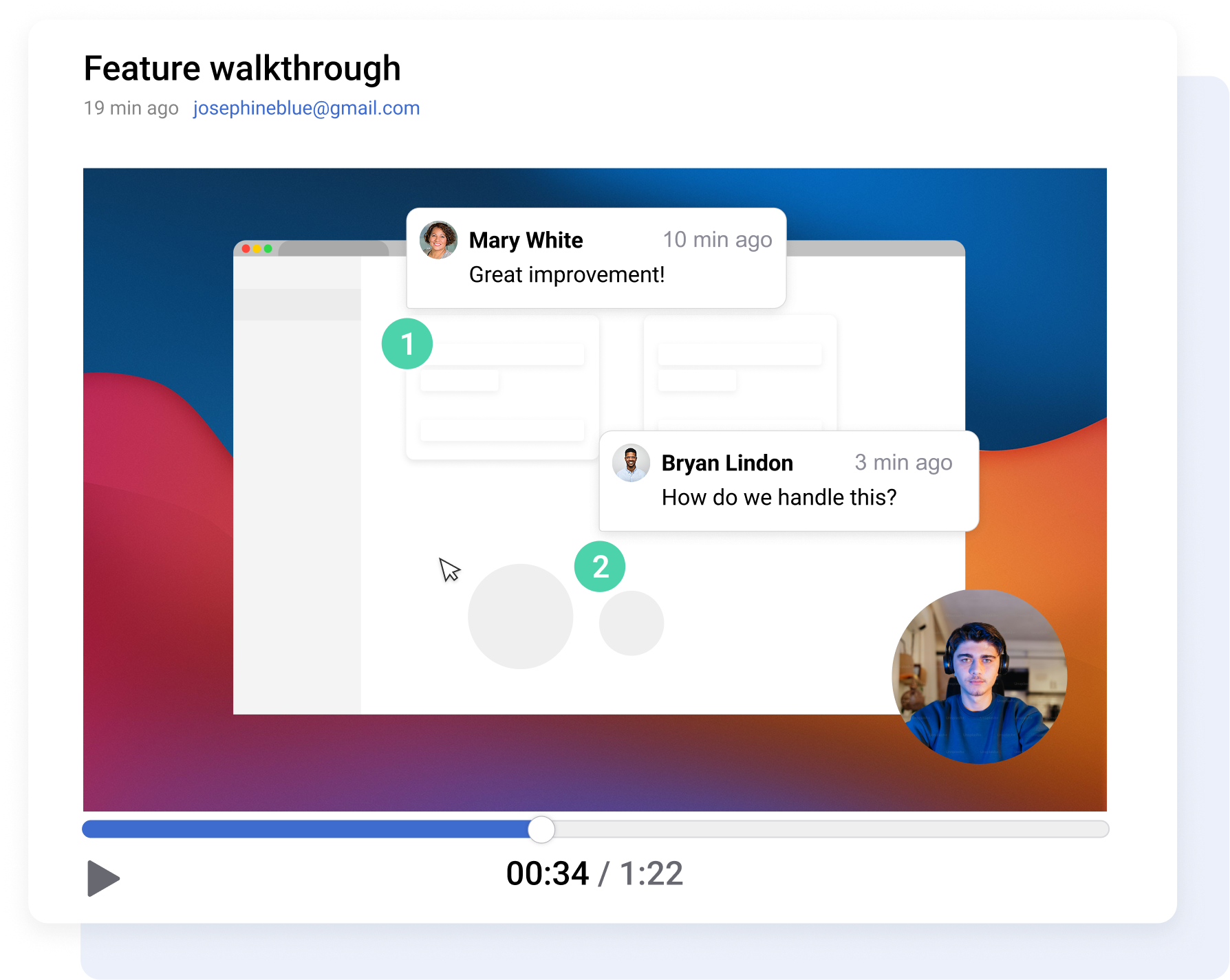
Leave feedback directly on the video
Leave feedback directly on the video
Pause at any moment and leave a comment on the exact screen and timestamp. Engineers instantly know what you’re referring to.
3//
Keep feedback connected to your workflow
Keep feedback connected to your workflow
Your comments and the video get filed to Jira, Linear, Asana, Notion, or whatever your team uses.
Engineers don't even have to record
Engineers can ask AI to have Videolink record everything for them. Then, the agent can create PR walkthroughs, make bug report videos from text, and record demos without having to appear on camera.

AI agent generates PR walkthroughs automatically

Videos get posted to the ticket or PR directly

You review and comment like any other video

No extra task on the engineering side. Done for them

Give clear product feedback without back and forth
Stop reviewing the same feature three times over a week. Drop a comment at any timestamp or pin it to a specific element on screen so the engineer knows what to fix without asking a single question.

Bug Reporting
When QA or a customer reports a bug, request a video showing the issue. Review it, and drop your notes at the exact timestamp.

Feature Review
Leave comments on the exact moments where something doesn't match what you had in mind, so engineers fix what you actually flagged, not what they think you meant.
PR Feedback
Ask the engineer to record a quick walkthrough (or just let their AI agent do it for them) so you catch mismatches faster before rework starts.
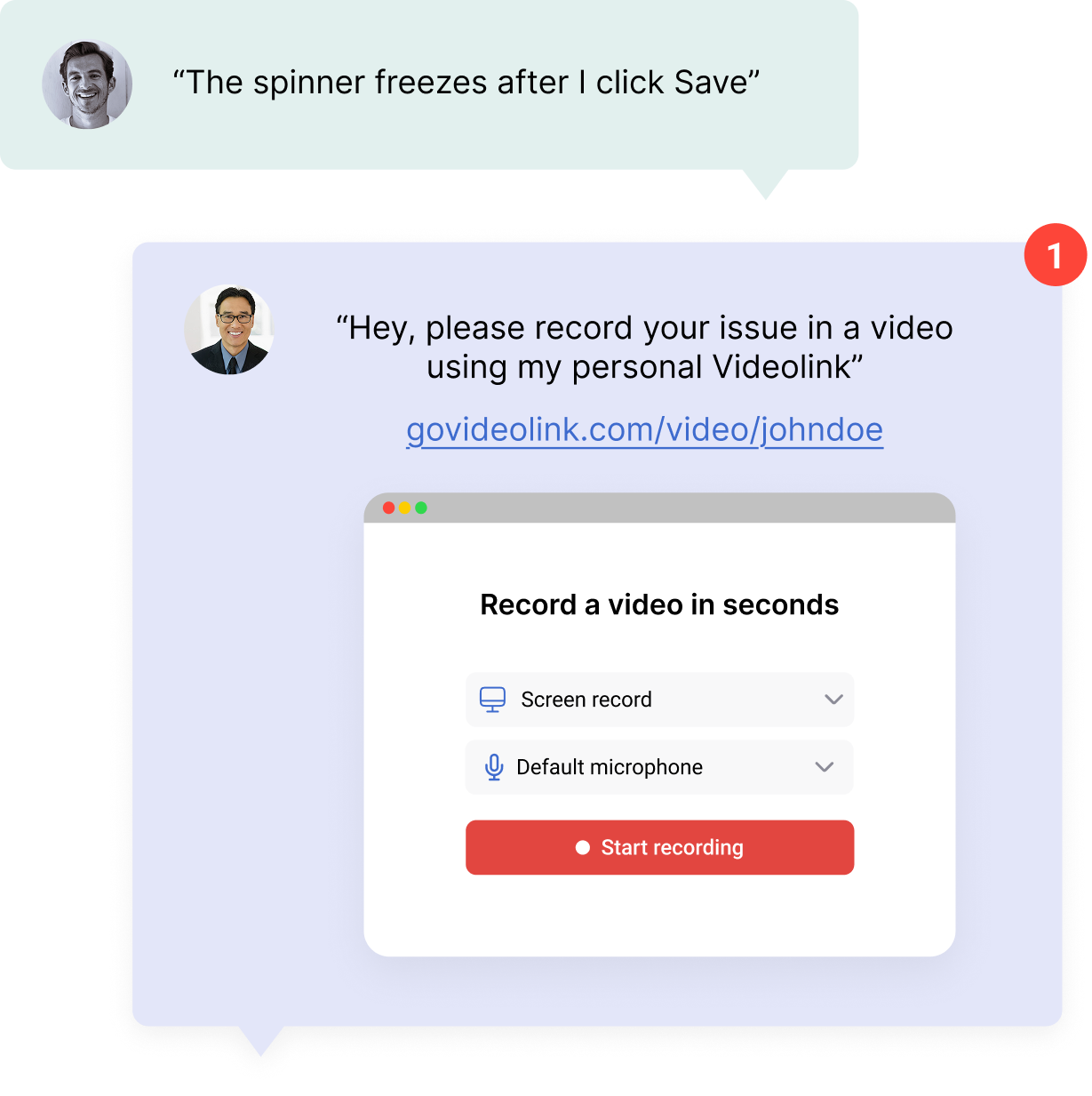
Request a video from anyone (inside or outside your team)
Send a request link to an engineer, a tester, a customer… They record directly in the browser and submit feedback instantly – no account, no install required.
All you need to do is create a request with a title. Share the link. The person on the other end records their screen, hits submit, and the video lands in your workspace, tagged and ready for review.
Integrations
Generate videos for tickets or create tickets from videos. Two-way sync with popular tools.





+ any task management tool connected to your agent via MCP
Frequently asked questions (FAQ's)
How is Videolink different from Loom?

Loom is a recording tool, so you record, you share, that's it. Videolink is a feedback tool that uses video. You can request videos from engineers, leave timestamped comments pinned to specific elements on screen, auto-generate structured bug reports, and file everything directly to your project tracker. The whole point is closing the feedback loop, not just making recordings.
What if the engineers don’t want to record themselves?
They don't have to. Their AI agent can generate video walkthroughs from pull requests and feature changes automatically. The engineer connects their agent once, and from then on, you can request videos that get created without anyone touching a record button.
Can I request a video from someone outside the company?
Yes. Send a Video Request link to a customer, a beta tester, anyone. They record in the browser with no account and no install. The video shows up in your workspace, ready for you to review and route to the right team.
Does Videolink create bug reports automatically?
Yes. When someone records a bug, Videolink generates a structured report with steps to reproduce, expected vs. actual behavior, and browser context. It files directly to Jira, Linear, Asana, or whatever tracker your team uses. You review and add comments if needed, but the writeup is done for you.
Close feedback loops faster
Get started with Videolink today.